
Upgrading your operating system might seem like a simple step, but for most users, it quickly turns into a series of important decisions. If you’re searching for upgrade Windows 10 to 11 Calgary, you’re not just looking for instructions—you’re trying to understand whether your device is compatible, how the upgrade will affect performance, what it will cost, and whether you should handle it yourself or trust a professional service.
In this complete guide, we’ll walk you through everything you need to know before upgrading. You’ll learn how to check compatibility, the safest upgrade methods available in Calgary, the real-world problems users face, and how to avoid them. We’ll also break down costs, performance expectations, and when it makes more sense to upgrade your hardware instead of just your operating system.
Why Upgrading to Windows 11 Is No Longer Optional
The shift from Windows 10 to Windows 11 is happening whether users are ready or not.
Microsoft has officially announced that Windows 10 support will end in October 2025, which means:
- No more security updates
- Increased vulnerability to malware and cyber threats
- Gradual incompatibility with modern software and applications
For users in Calgary—especially those relying on their computers for work, business, or daily productivity—this creates a clear need to upgrade sooner rather than later.

Windows 10 to Windows 11 Upgrade Calgary: What Actually Happens During the Upgrade
The Windows 10 to Windows 11 upgrade Calgary process is designed to keep your files, applications, and settings intact—but only if the upgrade is done properly.
A complete and safe upgrade usually includes:
- System compatibility check
- BIOS and TPM configuration
- Full data backup
- Windows 11 installation (standard or clean)
- Driver updates and system optimization
From real upgrade cases, most failures don’t happen during installation—they happen because users skip preparation steps or ignore compatibility warnings.
If you want a risk-free process, it’s often better to rely on a professional upgrade service: Computer Repair Service
Windows 11 Compatibility: What Your PC Must Have
Before attempting any upgrade, you need to confirm that your device meets the official requirements.
Minimum Requirements:
- 1 GHz processor with 2 or more cores
- 4GB RAM (8GB recommended for performance)
- 64GB storage
- TPM 2.0 enabled
- Secure Boot enabled
- UEFI firmware
Real Compatibility Issues We See in Calgary
In many real upgrade scenarios:
- TPM exists but is disabled in BIOS
- Systems still run on HDD instead of SSD, causing severe slowdowns
- Older CPUs are not supported
- Drivers are outdated, leading to instability
If you’re unsure, a full system diagnostic can prevent problems before they happen:Computer Repair Service
Upgrade Options in Calgary: DIY vs Professional
Not every system—and not every user—should follow the same upgrade approach.
Option 1: DIY Upgrade (Manual Installation)
Best for:
- Experienced users
- Personal devices without critical data
Pros:
- Free
- Full control
Cons:
- Higher risk of errors
- Possible data loss
- Driver compatibility issues
Option 2: Professional Upgrade Service Calgary
Best for:
- Business users
- Work laptops and desktops
- Users who want guaranteed results
What’s included:
- Full compatibility testing
- Data protection and backup
- Clean or standard installation
- Performance tuning
If your system feels slow even before upgrading, combining the upgrade with hardware improvements is often the best option

Boost performance, security & speed with the latest Windows update
Cost of Upgrade Windows 10 to 11 Calgary
The cost varies depending on the condition of your system and whether additional upgrades are needed.
Average Pricing:
- Basic upgrade: $50 – $100
- Upgrade + optimization: $80 – $150
- Upgrade + SSD/RAM upgrade: $150 – $300
In many Calgary cases, upgrading from HDD to SSD provides the biggest performance boost, even more than the Windows upgrade itself.
Key Benefits of Upgrading to Windows 11
1. Faster Performance (On Supported Hardware)
Windows 11 is optimized for modern processors and SSD storage, leading to faster startup and smoother multitasking.
2. Stronger Security
Windows 11 introduces advanced security features like:
- TPM 2.0
- Secure Boot
- Hardware-based isolation
These significantly reduce the risk of malware and cyber attacks.
External source suggestion: Windows 11 system requirements by Microsoft
3. Better Productivity and User Experience
- Snap layouts for multitasking
- Cleaner and more modern interface
- Improved virtual desktops
4. Better Compatibility with New Software
As software evolves, Windows 11 ensures:
- Better support for new applications
- Improved performance in modern tools
- Long-term system stability
Who Should Upgrade—and Who Shouldn’t
You Should Upgrade If:
- Your PC meets Windows 11 requirements
- You rely on your system daily
- You want long-term security and updates
You Should Upgrade Hardware First If:
- Your PC is older than 5–6 years
- You’re using HDD storage
- You have less than 8GB RAM
In these cases, upgrading hardware first will give you much better results:
Common Mistakes to Avoid During Upgrade
Based on real-world cases, these are the most common issues:
- Skipping data backup
- Ignoring compatibility checks
- Forcing installation on unsupported hardware
- Not updating drivers after upgrade
- Expecting performance improvement without upgrading hardware
These mistakes often lead to:
- System crashes
- Slow performance
- Data loss
Real Performance Expectations After Upgrade
First 24 Hours:
- Temporary slowdown
- Background processes and updates
After Stabilization:
- Faster response times
- Better multitasking
- Improved system stability
If your system becomes slower, it’s usually due to:
- Weak hardware
- HDD limitations
- Driver conflicts
When You Should Consider Additional Services
Sometimes, upgrading Windows alone is not enough.
You may also need:
- System cleanup and optimization
- Malware or virus removal
- Hardware upgrades
- Performance tuning
In many cases, users combine upgrade with security cleanup:Virus Removal Services Calgary
For long-term protection and performance:Cybersecurity and Optimization Service
Is Upgrade Windows 10 to 11 Calgary Worth It?
In most cases, yes—but only if done correctly.
- On compatible systems → noticeable improvement
- On outdated systems → limited benefit
- With proper setup → long-term stability
- With poor setup → frustration and performance issues
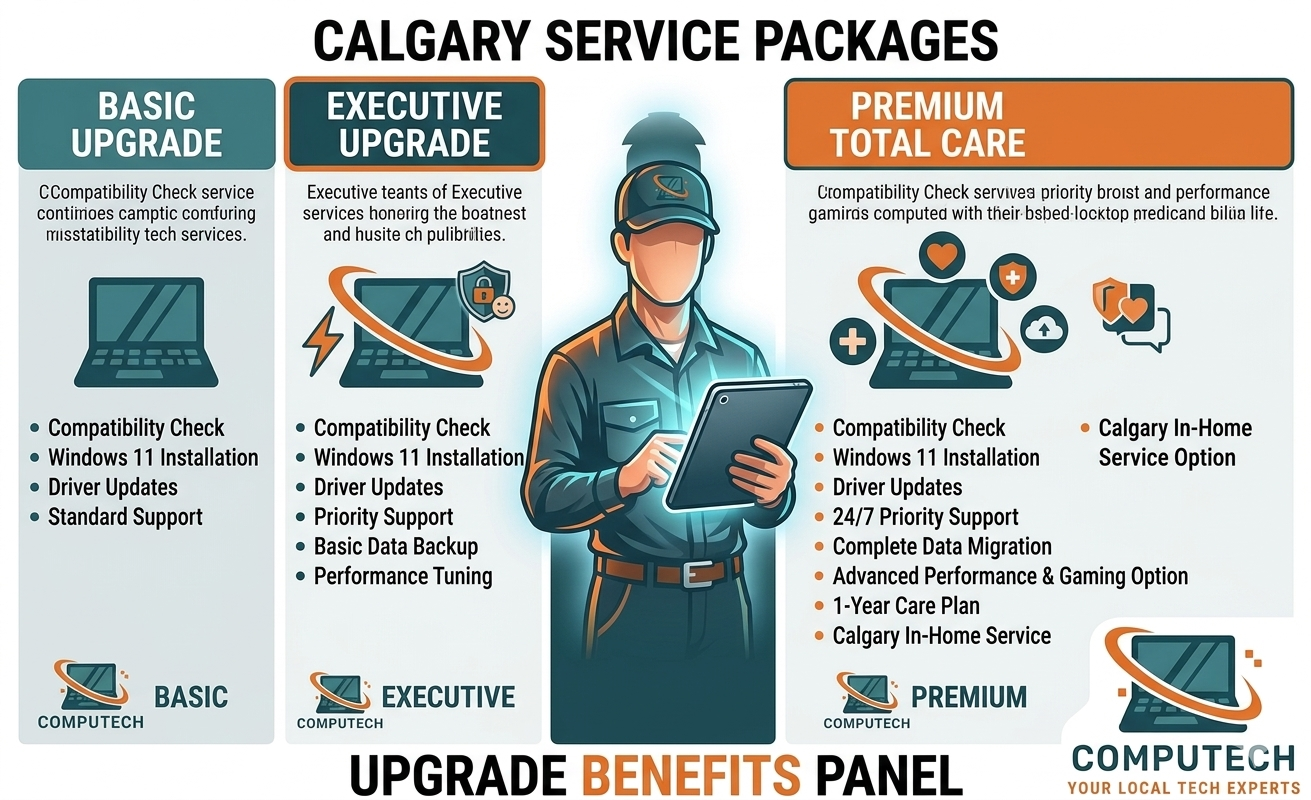
Fast, secure upgrade for better performance and modern features
Final Verdict
If you’re considering an upgrade Windows 10 to 11 Calgary, the key is not just upgrading—but upgrading the right way.
The smartest approach is:
- Check compatibility
- Back up your data
- Choose the right upgrade method
- Consider hardware improvements if needed
For many users in Calgary, working with a professional service ensures a smoother upgrade, better performance, and no risk to your data.
Ready to Upgrade Your PC Safely?
If you want a reliable and fully optimized Windows 10 to Windows 11 upgrade Calgary, it’s worth choosing a trusted service that can handle everything—from compatibility checks to performance optimization.
Get started today:Onsite Computer Repair Service


[…] If you’re planning a system upgrade:upgrade windows 10 to 11 Calgary […]