
Windows 11 is faster, more modern, and more secure than previous Windows versions — but it also demands more from your computer hardware. One of the most important components affecting performance today is RAM.
That’s why many users ask:
“How much RAM do you need for Windows 11?”
If your system freezes during multitasking, browser tabs lag, applications respond slowly, or your PC struggles with everyday tasks, insufficient RAM may be the real problem.
In 2026, modern applications, browsers, updates, and background services use far more memory than they did just a few years ago. Even users who only browse the internet or work remotely may experience slowdowns if their system doesn’t have enough RAM.
The good news is that RAM upgrades are often affordable and can dramatically improve performance without replacing the entire computer.
In this complete guide, you’ll learn:
- How much RAM Windows 11 actually needs
- The difference between minimum and recommended RAM
- How RAM affects real-world performance
- Signs your computer needs more memory
- Whether upgrading RAM is worth it
- RAM recommendations for gaming, business, and daily use
How Much RAM Do You Need for Windows 11?
Microsoft’s official minimum requirement for Windows 11 is:
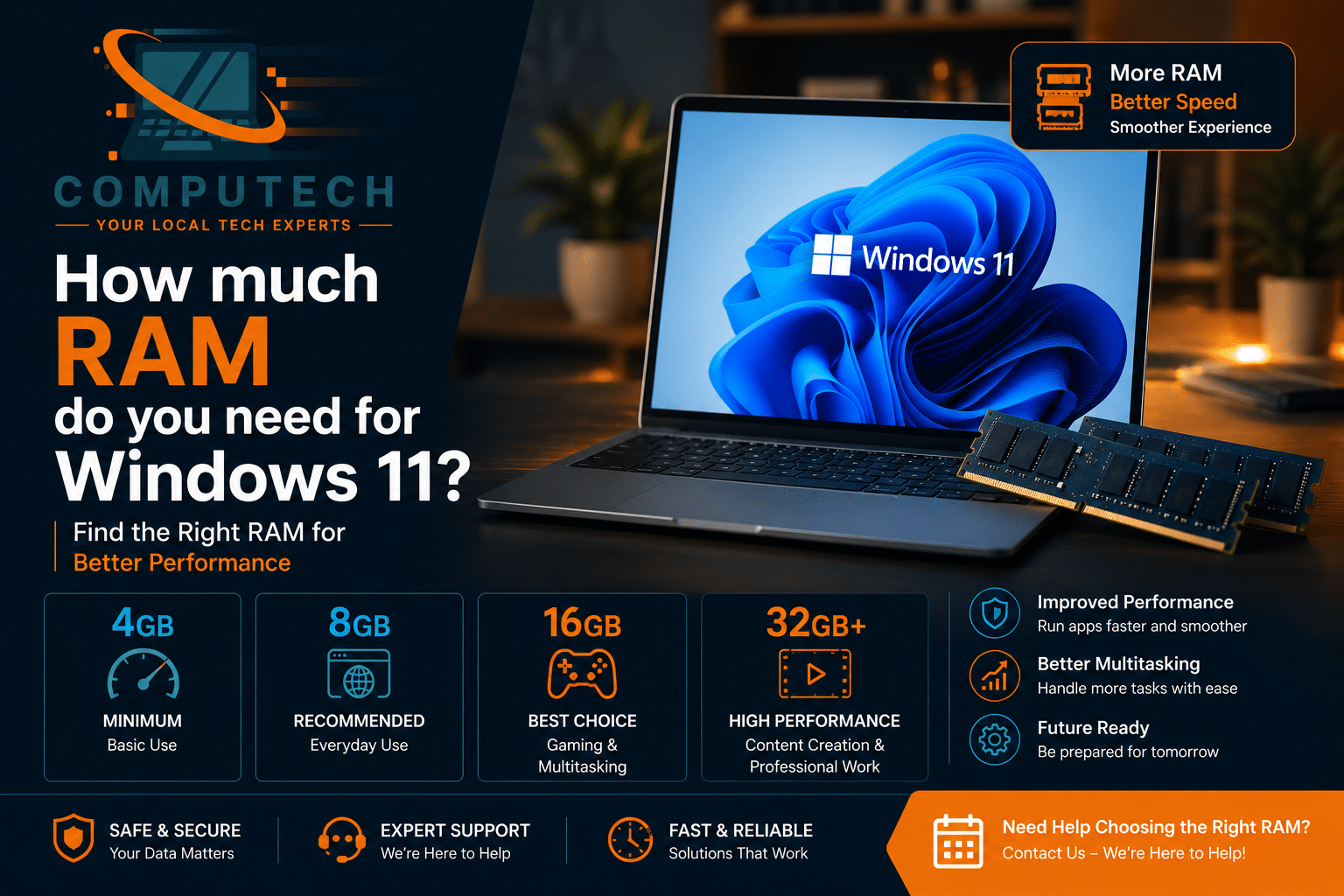
- 4GB RAM
However, in real-world use, 4GB is no longer enough for comfortable performance in 2026.
Most users asking:
“How much RAM do you need for Windows 11?”
are actually trying to solve:
- Slow performance
- Freezing
- Browser lag
- Poor multitasking
- System responsiveness problems
The realistic answer depends on how you use your computer.
Microsoft Windows 11 system requirements
Recommended RAM for Windows 11 in 2026
| Usage Type | Recommended RAM |
|---|---|
| Basic browsing | 8GB |
| Office & multitasking | 16GB |
| Gaming | 16GB–32GB |
| Video editing | 32GB+ |
| Business workstations | 16GB–32GB |
Why RAM Matters So Much for Windows 11
RAM controls how many tasks your computer can handle simultaneously.
When RAM becomes limited:
- Applications slow down
- Browsers freeze
- Multitasking becomes difficult
- Windows uses slower virtual memory instead
Modern Windows 11 systems constantly use RAM for:
- Security features
- Background updates
- Browser tabs
- Cloud syncing
- Productivity apps
This is why insufficient RAM is now one of the biggest causes of slow Windows 11 performance.
Signs You Need More RAM for Windows 11
Your system likely needs more memory if:
- Applications freeze frequently
- Browser tabs reload constantly
- Startup feels slow
- Multitasking causes lag
- Video calls stutter
- Windows becomes unresponsive during heavy tasks
Many users assume their computer is failing when the real problem is simply limited RAM capacity.
Why Is My Windows 11 PC So Slow
Is 8GB RAM Enough for Windows 11?
For light users, yes — but with limitations.
8GB RAM is acceptable for:
- Web browsing
- Streaming
- Office applications
- Basic daily use
However, users may still notice slowdowns during:
- Heavy multitasking
- Gaming
- Large browser sessions
- Video editing
In 2026, 8GB is considered the practical minimum — not the ideal long-term setup.
Why 16GB RAM Is the Sweet Spot in 2026
For most users, 16GB RAM offers the best balance between:
- Performance
- Future-proofing
- Multitasking capability
- Stability
16GB is ideal for:
- Remote work
- Business use
- Gaming
- Content creation
- Multiple browser tabs
- Productivity workflows
This is why many modern systems now ship with 16GB by default.
Do Gamers Need More RAM for Windows 11?
Yes.
Modern games use significantly more memory than older titles.
Recommended RAM for gaming:
- Casual gaming → 16GB
- AAA gaming → 32GB preferred
Additional RAM improves:
- Frame stability
- Multitasking during gaming
- Streaming performance
- Background application handling
Can More RAM Actually Speed Up Windows 11?
Yes — especially if your current memory is limited.
RAM upgrades improve:
- Multitasking
- Application responsiveness
- Browser performance
- Startup speed indirectly
- Overall system smoothness
However, RAM alone may not solve all performance issues.
In many cases:
- SSD upgrades
- Malware cleanup
- System optimization
are also necessary.
Best SSD Upgrades for Windows 11
RAM vs SSD: Which Upgrade Matters More?
This is one of the most common upgrade questions.
SSD upgrades improve:
- Startup speed
- File loading
- Application launch speed
RAM upgrades improve:
- Multitasking
- Browser performance
- Application switching
- System responsiveness under load
For systems still using HDD storage, SSD upgrades usually provide the biggest immediate improvement.
However, combining SSD + RAM upgrades creates the best overall performance boost.
Common RAM Upgrade Mistakes
Many users buy RAM without checking:
- Compatibility
- Speed support
- Motherboard limitations
- Maximum supported capacity
Common mistakes include:
- Mixing incompatible RAM
- Buying unsupported memory speeds
- Installing insufficient capacity
- Ignoring dual-channel configuration
Professional installation helps avoid compatibility issues and instability.
How to Check Your Current RAM Usage
You can check RAM usage through:
- Task Manager
- Performance tab
- Memory usage section
If memory usage constantly stays above:
- 80–90% during daily tasks,
your system may benefit significantly from upgrades.
Real-World Insight: What Most Users Get Wrong
From real repair and upgrade cases:
- Users often blame Windows 11 itself
- Many systems slow down because of low RAM
- Browser usage alone now consumes large amounts of memory
- Some users upgrade storage but ignore memory limitations
One of the most common upgrade combinations today:
SSD + RAM upgrades together.
This combination often restores excellent performance even on older systems.
When RAM Upgrades May Not Be Enough
Additional problems may still exist if:
- Malware is present
- Storage drives are failing
- Overheating occurs
- Drivers are outdated
- Startup overload exists
RAM upgrades help significantly, but full optimization sometimes requires deeper diagnostics.
Should You Upgrade RAM or Buy a New PC?
Upgrade if:
- Your system is under 5 years old
- RAM is upgradeable
- Overall hardware still works properly
Replace if:
- Multiple hardware failures exist
- System is extremely outdated
- Upgrade limitations are severe
For many users, RAM upgrades are far more affordable than replacing the entire computer.
Final Verdict
If you are wondering:
“How much RAM do you need for Windows 11?”
The practical answer in 2026 is:
- 8GB = minimum comfortable use
- 16GB = recommended for most users
- 32GB+ = ideal for gaming and professional workloads
RAM upgrades remain one of the most effective ways to improve Windows 11 performance, especially when combined with SSD upgrades and proper optimization.
Before replacing your computer, upgrading memory may provide the performance boost you actually need.
Need Professional RAM Upgrade Help?
If your Windows 11 PC freezes, struggles with multitasking, or feels slow during everyday use, professional RAM and SSD upgrades can dramatically improve speed and stability.
FAQ
Is 8GB RAM enough for Windows 11?
Yes, for basic daily use, but 16GB provides better multitasking and long-term performance.
How much RAM is recommended for Windows 11 in 2026?
16GB is recommended for most users, while gamers and professionals may benefit from 32GB or more.
Will more RAM make Windows 11 faster?
Yes. More RAM improves multitasking, responsiveness, and overall system performance.
Is SSD or RAM more important for Windows 11?
SSD upgrades usually provide the biggest immediate speed improvement, while RAM upgrades improve multitasking and responsiveness.
Can I upgrade RAM without replacing my computer?
In many cases, yes. RAM upgrades are often affordable and highly effective for improving performance.
How to Contact Us Now?
For bookings and inquiries:
Call us directly at: [(403) 333-3114]
Visit our website: computechfix.ca



No comment